
Increase your Business with us!
 Freelance photography career
- How To Remove A Watermark On Photoshop
- Photo & design editing software
 Order
Order 


ONLINE SHOP
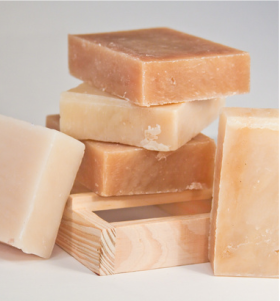
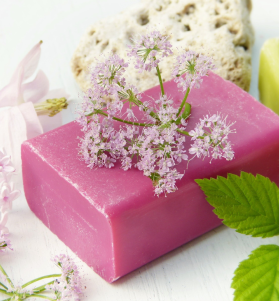
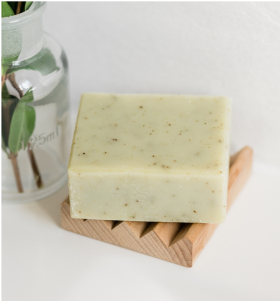
Discover our online shop featuring stylish, high-quality products at affordable prices. Enjoy a seamless shopping experience with secure payments, fast delivery, and excellent customer service. Shop now for great deals!

Contact
Please fill out the form below to send us an email.
Lorem ipsum dolor sit amet, consectetur adipiscing elit, sed do eiusmod tempor incididunt ut labore et dolore magna aliqua. Ut enim ad minim veniam, quis nostrud exercitation ullamco laboris nisi ut aliquip ex ea commodo consequat.
E-mail:
hello@reallygreatsite.com
Blog
Top 5 Professional Photography Tips
1. Master Your Camera • Learn how to shoot in manual mode to control shutter speed, aperture, and ISO. • Understand your camera’s settings, focus modes, and white balance. 2. Prioritize Lighting • Natural light is powerful—shoot during golden hour for soft, flattering light. • For indoor or studio work, use softboxes, reflectors, or diffusers to control shadows and highlights. 3. Use the Rule of Thirds • Apply this classic composition rule by dividing your frame into a 3x3 grid. • Place subjects along the lines or at intersections for balanced, eye-catching shots. 4. Shoot in RAW • RAW files preserve more image data, allowing for better editing and color correction. • You'll get more flexibility in post-processing without losing quality. 5. Keep Your Gear Clean • Always clean your lenses and sensor to avoid dust spots or blurry areas. • Use proper tools like lens cloths, air blowers, and brushes.
6. Pay Attention to Backgrounds • Avoid cluttered or distracting backgrounds that compete with your subject. • Use shallow depth of field (low f-stop) to blur the background and highlight your subject. 7. Direct Your Subject (If Needed) • Help people feel comfortable in front of the camera. • Give simple, clear directions and praise good poses to boost confidence. 8. Edit with Intention • Use software like Lightroom or Photoshop to enhance colors, fix exposure, and retouch. • Maintain a consistent editing style across your work for a professional look. 9. Always Back Up Your Work • Use external hard drives and cloud storage to protect your images.