April 26, 2026
In the highly competitive world of eCommerce, product images play a decisive role in influencing buyer decisions. On platforms like eBay, where thousands of sellers compete for attention, optimised product images can significantly improve click-through rates, conversions, and overall sales performance. Whether you are an eCommerce seller, professional photographer, or digital agency, mastering eBay product image optimisation is essential for standing out and building a successful online store.
This comprehensive guide will walk you through everything you need to know about eBay product image optimisation—from technical requirements to advanced strategies that boost visibility and conversions.
Why eBay Product Image Optimisation Matters
Product images are the first thing buyers notice when browsing listings. Unlike physical stores, online shoppers rely entirely on visuals to evaluate products. Poor-quality images can result in lost sales, while high-quality, optimised visuals can:
In short, your product images are your digital storefront.
eBay Image Requirements and Guidelines
Before diving into optimisation techniques, it’s crucial to understand eBay’s image requirements. Following these ensures your listings remain compliant and professional.
Key eBay Image Specifications
eBay prioritises listings with clean, high-resolution images, especially for mobile users.
Choosing the Right Image Dimensions
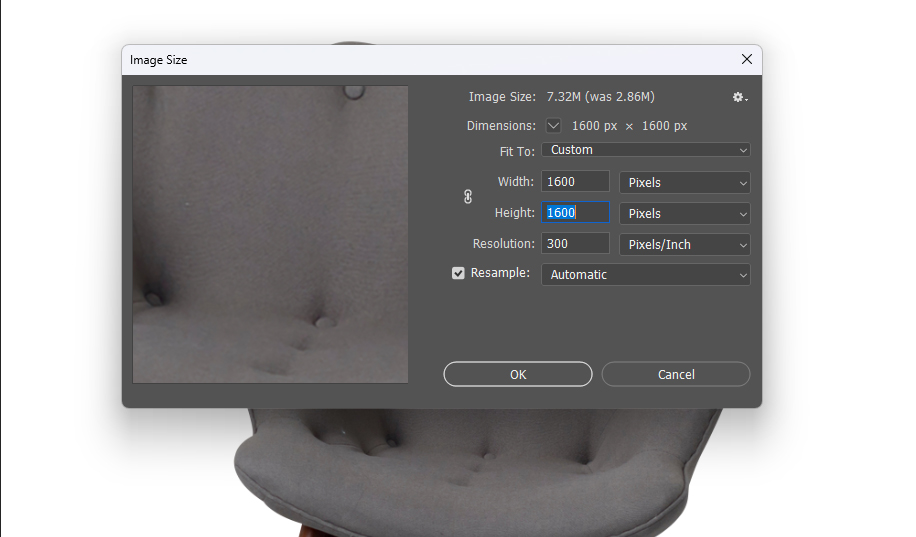
While the minimum size is 500 x 500 pixels, this is not sufficient for competitive listings. For best results:
High-resolution images enable the zoom feature, allowing buyers to inspect details closely, which increases confidence and reduces hesitation.
Importance of Clean Backgrounds
A cluttered background can distract buyers and reduce perceived product value. A clean, white background offers several advantages:
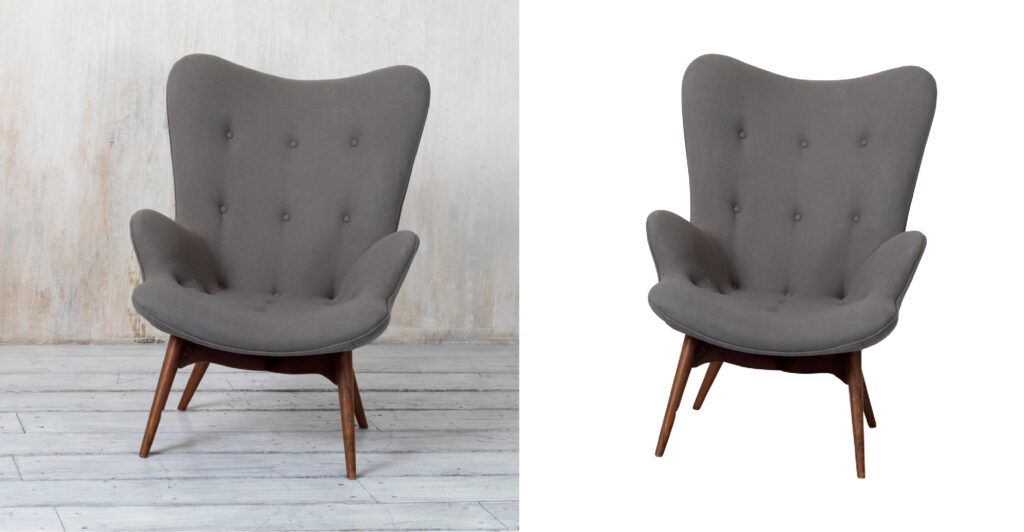
Professional background removal services, like those offered on clippingimages.com, can help achieve precise and clean results for bulk product listings.
Lighting and Exposure Techniques
Proper lighting is essential for showcasing your product accurately. Poor lighting can distort colours and hide important details.

Best Practices for Lighting
Balanced lighting enhances product texture, colour accuracy, and overall appeal.
Image Editing and Retouching
Raw images often need refinement before uploading. Image editing ensures your products look their best while remaining realistic.
Essential Editing Techniques
Avoid over-editing, as unrealistic images can lead to customer dissatisfaction and returns.
Using Multiple Images Effectively
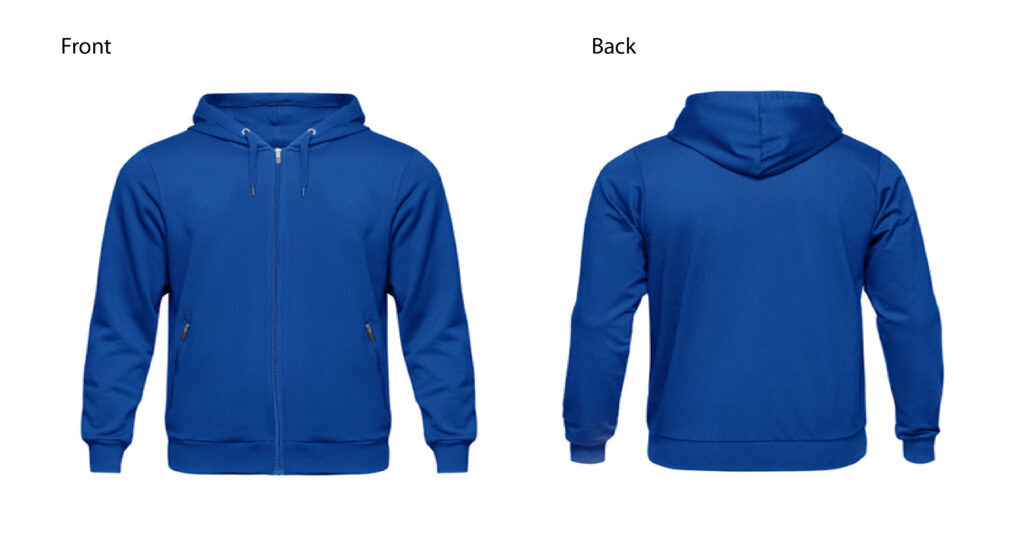
eBay allows up to 12 images per listing. Use this opportunity to provide a comprehensive view of your product.
Types of Images to Include
Providing multiple perspectives reduces uncertainty and increases buyer confidence.
Optimising Image File Names
Many sellers overlook the importance of file naming, but it can contribute to SEO both on eBay and external search engines.
Best Practices
Optimised file names help search engines understand your content better.
Image Compression for Faster Loading
Large images can slow down page loading times, especially on mobile devices. Optimisation involves balancing quality and file size.
Tips for Compression
Faster-loading images improve user experience and can positively impact ranking.
Leveraging Image SEO for eBay Listings
While eBay has its own search algorithm, optimised images can still improve discoverability.
Key Image SEO Strategies
Consistency builds brand recognition and trust.
Mobile Optimisation for eBay Images
A significant portion of eBay users shop via mobile devices. Your images must be optimised for smaller screens.
Mobile-Friendly Tips
Mobile optimisation ensures a seamless browsing experience.
Creating Lifestyle and Contextual Images
While the main image should follow strict guidelines, additional images can showcase the product in real-life scenarios.
Benefits of Lifestyle Images
For example, a chair displayed in a living room setting is more appealing than a standalone image.
Consistency Across Product Listings
Maintaining a consistent visual style across all listings strengthens your brand identity.
Elements to Standardise
Consistency makes your store look professional and trustworthy.
Avoiding Common Mistakes
Even experienced sellers can make errors that reduce effectiveness.
Common Pitfalls
Avoiding these mistakes ensures better performance and compliance.
The Role of Professional Image Editing Services
For high-volume sellers and agencies, outsourcing image editing can save time and improve quality.
Benefits of Professional Services
Platforms like clippingimages.com specialise in bulk image editing, helping businesses maintain high standards without increasing workload.
A/B Testing Your Images
Optimisation is an ongoing process. Testing different image styles can help identify what works best.
What to Test
Track performance metrics such as CTR and conversion rates to refine your strategy.
Enhancing Brand Identity Through Images
Your product images should reflect your brand personality.
Branding Tips
Strong branding helps differentiate your listings from competitors.
Future Trends in eBay Image Optimisation
As technology evolves, so do image trends in eCommerce.
Emerging Trends
Staying updated with these trends can give you a competitive edge.
Final Thoughts
eBay product image optimisation is not just about meeting technical requirements—it’s about creating visually compelling listings that attract, engage, and convert buyers.
By focusing on high-quality visuals, proper editing, SEO techniques, and consistent branding, you can significantly improve your listing performance. Whether you’re an individual seller or a large agency, investing in image optimisation is one of the most effective ways to boost your eCommerce success.
If you’re looking to streamline your workflow and achieve professional-grade results, consider leveraging expert services like clippingimages.com to handle your image editing needs efficiently.
FAQs
What is the ideal image size for eBay?
The recommended size is 1600 x 1600 pixels for optimal zoom and clarity.
Can I use watermarks on eBay images?
Watermarks are not allowed on main images but may be used cautiously in additional images.
How many images should I upload?
Use as many as possible (up to 12) to provide a complete product view.
Do images affect eBay SEO?
Yes, high-quality and optimised images improve visibility and engagement.
By implementing the strategies outlined in this guide, you can transform your eBay listings into powerful sales tools that attract more buyers and drive consistent growth.