September 6, 2026
For e-commerce sellers, photographers, advertising agencies, and online retailers, clean product images are essential. A distracting background can make a product look unprofessional, reduce visual consistency, and even affect how customers perceive the brand. That is why background removal has become one of the most common image editing requirements in e-commerce photography.
Today, two popular methods dominate the market: clipping path and AI background removal. Both can remove unwanted backgrounds, but they work in very different ways and produce different results depending on the image.
So, which is better—clipping path vs AI background removal?
The answer depends on the type of product, the required accuracy, image volume, turnaround time, and final use. In this guide, we will compare both methods in detail and help you choose the right background removal solution for your business.
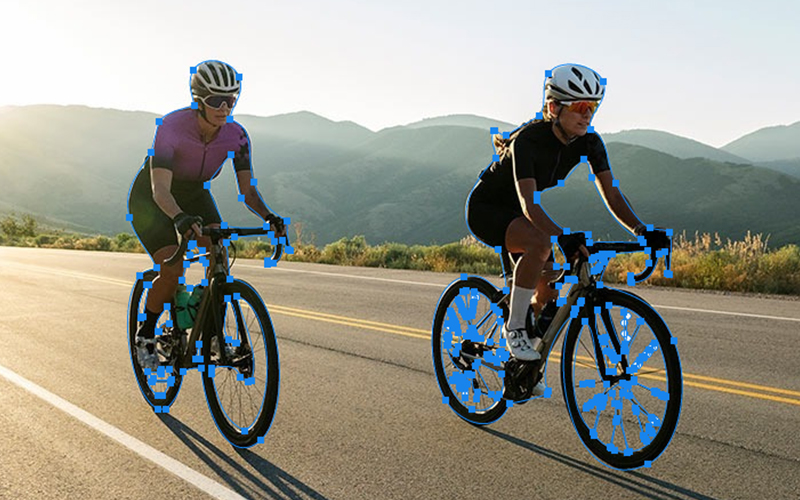
A clipping path is a traditional photo editing technique used to isolate a product from its background. Professional image editors manually create a precise vector path around the subject using tools such as the Pen Tool in Adobe Photoshop.
Once the path is created, the background can be removed or replaced without affecting the main product.
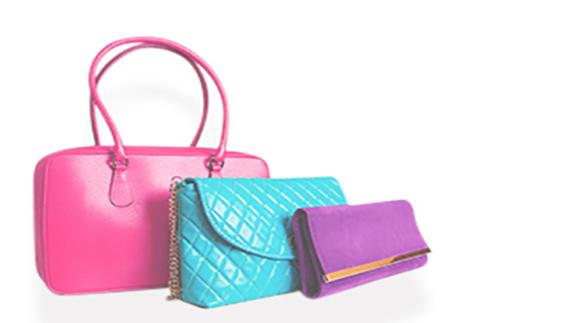
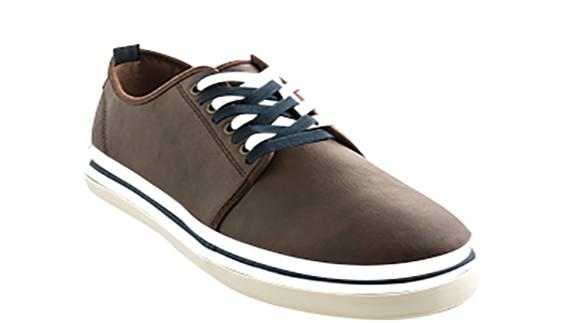
Clipping paths are particularly effective for products with clear, defined edges, such as:
The main advantage of a clipping path is precision. An experienced professional can carefully control every curve, corner, and edge of a product.
For businesses that require consistent, professional product images, clipping path services remain an important part of the e-commerce image editing workflow.
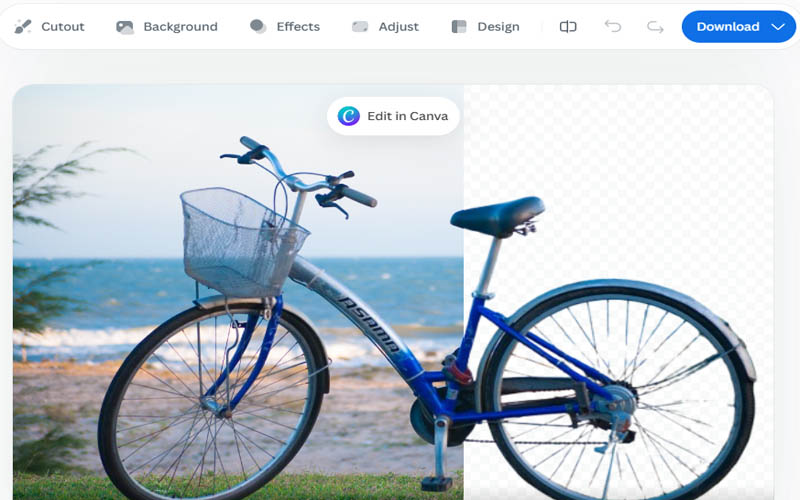
AI background removal uses artificial intelligence and machine learning to automatically identify the main subject in an image and separate it from the background.
Instead of manually drawing a path around the product, an AI-powered tool analyzes the image and generates a mask automatically.
This makes AI background removal extremely fast. A product image that could take several minutes to edit manually may be processed within seconds.
AI background removal is commonly used for:
The technology has improved significantly, especially for images with simple backgrounds and clearly visible products.
However, AI is not perfect. Complicated edges, transparent objects, fine details, shadows, and overlapping products can still create problems.
The biggest difference between clipping path and AI background removal is human precision versus automated speed.
A clipping path is normally created manually, while AI background removal is generated automatically.
Here are the major differences.
| Factor | Clipping Path | AI Background Removal |
| Editing method | Manual | Automated |
| Speed | Slower | Very fast |
| Accuracy | Extremely high with skilled editors | Depends on image complexity |
| Cost | Usually higher | Usually lower |
| Complex edges | Excellent | Can be inconsistent |
| Simple products | Excellent | Excellent |
| Hair/fur | Not ideal by itself | Can perform well, depending on AI |
| Transparent products | More controllable | Can struggle |
| Large batches | Requires more resources | Excellent |
| Fine edge control | Excellent | Limited |
| Human quality control | Available | Often requires review |
| Professional e-commerce use | Excellent | Good for suitable images |

Accuracy is one of the most important factors when comparing clipping path vs AI background removal.
A professional clipping path editor can zoom into an image and carefully follow the exact outline of a product. This is particularly important when the product has sharp corners, curves, handles, or other complicated shapes.
AI tools, on the other hand, make decisions automatically. They can produce excellent results on straightforward images, but mistakes may occur around small details.
For example, an AI tool might accidentally remove part of a thin strap or leave a small piece of the original background around the product.
Winner: Clipping Path
For high-value product images where accuracy matters, manual clipping paths generally provide greater control.
When it comes to speed, AI has a major advantage.
An AI background remover can process hundreds or thousands of images rapidly, depending on the platform and workflow.
Manual clipping paths take longer because an editor needs to inspect the image, create the path, refine the edges, and review the final result.
For businesses uploading thousands of products to an online store, AI can dramatically reduce initial processing time.
Winner: AI Background Removal
If speed is the top priority and the images are relatively simple, AI is an excellent choice.
AI background removal is usually more affordable for large volumes because automation reduces the amount of manual labor required.
Clipping path services involve professional editors spending time on each image, so the cost can be higher.
However, businesses should not judge cost based only on the initial editing price.
If an AI-generated result requires significant manual correction, the actual cost may increase because someone still has to inspect and fix the images.
Winner: AI Background Removal for basic images; Clipping Path for precision-focused work.
Products with complicated structures can be challenging for automatic background removal.
Consider products such as:
A clipping path allows an editor to manually control the selection around these structures.
AI may successfully recognize the object, but it can sometimes remove internal spaces or incorrectly interpret thin elements.
Winner: Clipping Path
Clipping paths are designed primarily for hard-edged objects. They are not always the best technique for individual hairs, fur, feathers, or other extremely fine details.
AI-powered masking tools can sometimes detect these details more naturally.
However, professional image editing workflows often combine multiple techniques rather than relying on one method. For example, an editor may use a clipping path for the main product and masking techniques for fine details.
Winner: AI for certain fine-detail images, but professional hybrid editing can be better.
E-commerce stores often need hundreds or thousands of product images to look consistent.
The background color, product positioning, cropping, shadows, and margins should follow the same visual standard.
AI can provide a fast starting point, but different images may receive slightly different masks or results.
A professional clipping path workflow can establish consistent editing standards across an entire catalog.
For brands with strict visual guidelines, human quality control can be especially valuable.
Winner: Clipping Path
Transparent and reflective products are among the hardest subjects to isolate.
Examples include:
AI may struggle to determine where the product ends and the background begins.
Professional editors can use advanced masking, channel-based selections, paths, and other techniques to preserve transparency and reflections.
Winner: Professional manual editing
Suppose an online retailer has 20,000 product photos that need background removal.
Processing every image manually could require significant time and resources.
AI is extremely useful in this situation because it can automate the first stage of the workflow.
For high-volume businesses, a hybrid workflow can be even more effective:
AI processing → automated result → human quality control → final delivery
This approach combines the speed of AI with the accuracy of professional editing.
Winner: AI Background Removal
Clipping path is the better option when image quality and precision are more important than processing speed.
Choose clipping path services when:
For premium e-commerce brands, a few minutes of professional editing can be worthwhile because product photography directly influences the customer’s perception of quality.
AI is a strong choice when speed, affordability, and volume are your primary concerns.
AI background removal works particularly well when:
For example, an online seller with a large catalog of simple products may use AI to remove backgrounds automatically and then manually review only the images that need correction.
AI is changing the photo editing industry, but it does not necessarily mean that professional clipping path services are becoming obsolete.
Instead, AI is becoming another tool in the image editing workflow.
Simple images can often be processed automatically. More complicated images still benefit from experienced editors who understand edge refinement, masking, shadows, reflections, color correction, and product presentation.
Professional editing teams can also use AI to speed up repetitive tasks while keeping humans involved in quality control.
This creates a more efficient workflow:
AI automation + professional editing = speed + quality
For many businesses, this hybrid approach is more practical than choosing only one technology.
E-commerce businesses have different requirements depending on their products.
For a fashion store selling basic T-shirts, AI background removal may be sufficient for many product photos.
For a jewelry company selling expensive watches and accessories, precision becomes much more important.
Similarly, a furniture company may require clipping paths for products with complicated structures, while a large marketplace may prioritize AI because of the enormous number of images it processes.
The right solution should therefore be selected based on the image rather than simply choosing the newest technology.
Before choosing between clipping path and AI background removal, ask yourself five questions:
Simple edges are generally suitable for AI. Complex edges may require manual editing.
For thousands of images, AI can save significant time.
If the image will appear in premium advertising, catalogs, or promotional campaigns, professional clipping paths may be preferable.
AI can reduce initial editing costs, while professional clipping path services may provide better results for high-value images.
Human quality control can catch AI mistakes and ensure consistent results.
Instead of asking whether clipping path or AI background removal is universally better, businesses should consider how the two can work together.
A practical workflow could look like this:
Step 1: Upload product images.
Step 2: Use AI to automatically remove simple backgrounds.
Step 3: Identify images with errors or complicated edges.
Step 4: Send those images for professional clipping path editing.
Step 5: Apply consistent cropping, shadows, color correction, and resizing.
Step 6: Perform final quality control.
This approach allows businesses to process large image volumes quickly without sacrificing the quality of important product photographs.
So, which one is better?
There is no single answer.
AI background removal is better for speed, automation, affordability, and large image volumes.
Clipping path is better for precision, consistency, complex products, and professional commercial photography.
For simple product images, AI can be an incredibly efficient solution. For challenging images or premium commercial work, professional clipping path editing provides greater control.
The smartest solution for many e-commerce sellers, photographers, and agencies is to combine both technologies. Let AI handle repetitive work and use professional editors when an image requires accuracy and attention to detail.
At Clipping Images, professional background removal and clipping path editing can help businesses create clean, consistent, marketplace-ready product images. Whether you need individual product photo editing or large-volume image processing, choosing the right editing workflow can help your products look more professional and consistent across your online store.
For precise product isolation, clipping path is generally better. AI is faster and more suitable for simple images and high-volume workflows.
Yes. AI background removal can be highly effective for simple e-commerce product images, especially when speed and volume are important. Complex images should still be reviewed for accuracy.
Yes. A manual clipping path requires an editor to create and refine the path, while AI can automatically process an image within seconds.
AI is generally cheaper for basic background removal because automation reduces manual labor. Professional clipping path editing can cost more but may provide better results for complex images.
Not in every situation. AI performs well on many straightforward images, but complex shapes, transparency, fine edges, and demanding commercial work may still require professional Photoshop editing.
The best method depends on the image. AI is ideal for speed and high-volume processing, while clipping paths are better when precise, clean edges and professional consistency are required.