September 3, 2026
High-quality product images are one of the most important elements of a successful online store. Unlike physical retail, e-commerce customers cannot touch, feel, or inspect products in person. They depend entirely on product photos to understand appearance, quality, color, size, texture, and other important details. This is why professional ecommerce photo editing plays a major role in building customer trust and increasing conversions.
Whether you are an e-commerce seller, professional photographer, marketplace manager, or creative agency, following a structured ecommerce photo editing checklist can help ensure consistent and professional results. From background removal and color correction to shadow creation and image optimization, every editing step contributes to creating attractive product visuals.
This complete ecommerce photo editing checklist will help you prepare product images that look professional, meet marketplace requirements, and provide a better shopping experience.
Editing hundreds or thousands of product images without a proper workflow can lead to inconsistent results. Some images may have different background colors, incorrect brightness, poor cropping, or inaccurate product colors. These inconsistencies can make an online store look unprofessional.
A professional checklist helps businesses maintain quality control throughout the photo editing process. It also saves time by creating a repeatable workflow for photographers and editing teams.
A proper ecommerce image editing checklist helps with:

For businesses handling large product catalogs, having a standardized editing process is especially important.
Before starting the editing process, always inspect the original image. Professional editing can improve a photograph significantly, but poor-quality source images may limit the final result.
Check the following elements:
Make sure the product is clearly visible and photographed from an appropriate angle. If the original image is blurry or severely underexposed, it may be better to reshoot the product instead of relying completely on editing.
High-resolution source images also provide more flexibility during retouching and resizing.
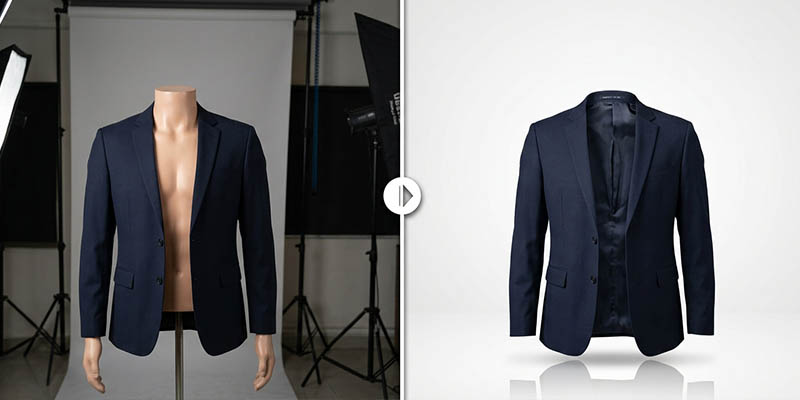
Background removal is one of the most common ecommerce photo editing services. Most online marketplaces and e-commerce stores prefer clean and distraction-free product images.
A cluttered background can shift customer attention away from the product. Professional background removal isolates the product and creates a clean presentation.
Depending on the platform, you may need:
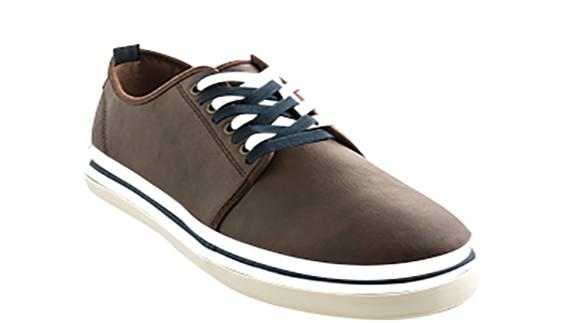
For complex products such as jewelry, furniture, clothing, bicycles, electronics, and accessories, precise selection is essential. Professional editors often use clipping paths, image masking, and advanced selection techniques to maintain clean and natural edges.
Hair, fur, transparent materials, glass, and complex product shapes usually require more advanced masking techniques.
A clipping path is commonly used to create precise selections around products with clean and defined edges. It is especially useful for e-commerce images that require background removal or isolated product presentation.
Products that often require clipping path services include:
The clipping path should follow the natural edges of the product carefully. Poorly created paths can result in rough edges, missing product details, or unnatural shapes.
For professional ecommerce photography, accurate clipping paths are essential because even small mistakes become noticeable when customers zoom into product images.

Lighting conditions can vary between product photography sessions. Some images may appear too dark, while others may look overly bright.
Exposure correction helps create a balanced and visually appealing image.
During this step, check:
Avoid excessive brightness adjustments because they can remove important product details. The goal is to make the product clearly visible while maintaining a natural appearance.
Consistent exposure is particularly important when multiple product images are displayed together on an online store.
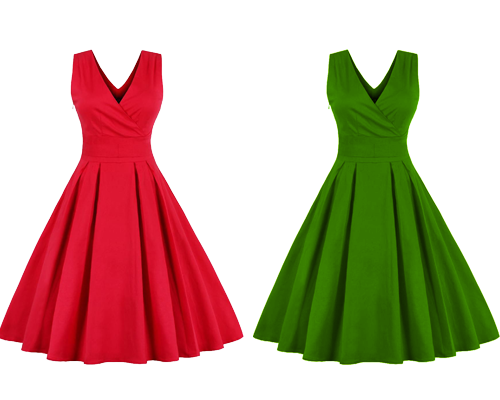
Color accuracy is extremely important in ecommerce photography. Customers expect the product they receive to match the product shown online.
Incorrect colors can result in:
Professional color correction ensures that product colors remain accurate and consistent.
Editors should carefully adjust:
For example, a red dress should appear red, not orange or pink. Similarly, the color of furniture, cosmetics, shoes, and accessories should accurately represent the actual product.
Color consistency is especially important for fashion brands and large product catalogs.
Even professionally photographed products may contain unwanted imperfections. Dust particles, fingerprints, scratches, wrinkles, or small manufacturing marks can become visible in high-resolution images.
Professional photo retouching helps remove distracting imperfections while preserving the natural appearance of the product.
Common retouching tasks include:
However, ecommerce retouching should not misrepresent the product. The goal is to improve presentation without creating unrealistic expectations.
A product placed on a completely white background can sometimes appear flat or artificial. Natural shadows help create depth and make the product appear grounded.
Popular shadow styles include:
The type of shadow depends on the product and brand style.
For example, furniture products may benefit from realistic natural shadows, while cosmetics or electronics may use soft drop shadows.
Shadows should always look natural. Overly dark or unrealistic shadows can reduce image quality instead of improving it.
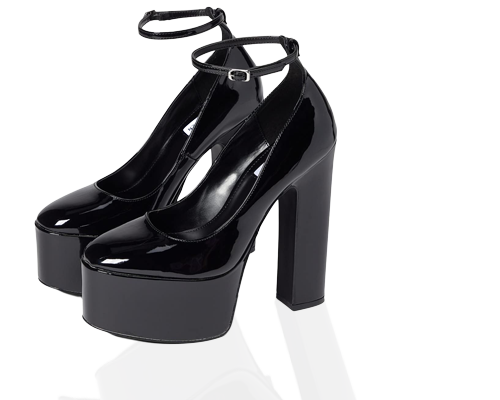
High-end ecommerce brands often require detailed product retouching. This process focuses on improving small details that affect the overall appearance of the product.
Detailed retouching may include:
The key is maintaining realism. Over-editing can make products look artificial and may reduce customer confidence.
Professional ecommerce photo editing should make products look their best while still accurately representing the real item.
Consistency is essential for professional online stores. Product images should follow similar dimensions, alignment, and cropping styles.
For example, if one product is centered with equal spacing around it, other product images should follow the same visual style.
Check:
Consistent product presentation makes an online store look organized and professional.
This is particularly important for Shopify stores, Amazon listings, WooCommerce websites, fashion catalogs, and large e-commerce marketplaces.
Different e-commerce platforms have different image size recommendations and requirements. Uploading unnecessarily large images can slow down websites, while extremely small images may look blurry.
Before exporting, check:
A good ecommerce workflow often includes creating multiple versions of the same product image for different platforms.
For example, you may need separate versions for:
Proper resizing ensures that images look sharp across different screens and platforms.
Large image files can negatively affect website speed. Slow-loading websites can create a poor user experience and may affect search engine performance.
Image optimization reduces file size while maintaining acceptable visual quality.
Common image formats include:
Before publishing, balance image quality and file size carefully.
An ecommerce image should be:
Image compression tools and modern formats can significantly improve page performance without causing noticeable quality loss.
Image SEO is often overlooked by e-commerce businesses. Generic file names such as IMG_001.jpg or DSC12345.jpg provide little useful information.
Instead, use descriptive and relevant filenames.
For example:
black-leather-running-shoes.jpg
is better than:
IMG_2456.jpg
A good image filename should include relevant keywords naturally without keyword stuffing.
This can help search engines better understand the image content.
Use filenames that describe:
SEO-friendly filenames should be clear, readable, and relevant.
Different marketplaces may have specific image rules. Before submitting product images, check the requirements of each platform.
Your ecommerce photo editing checklist should include platform-specific verification for:
A professional editing workflow should allow images to be adapted efficiently for different marketplaces.
Instead of editing every image from scratch, maintain a high-quality master version that can be resized and optimized for multiple platforms.
Before publishing or delivering images, always perform a final quality control inspection.
Review every image at different zoom levels and check for:
For large product catalogs, quality control is essential. A small editing mistake repeated across hundreds of images can affect the overall professionalism of an online store.
Many professional photo editing agencies use a multi-step quality control process before delivering final files.
Always maintain backups of original product images. It is also useful to keep editable versions for future updates.
You may need to:
Keeping organized source files makes future editing faster and more cost-effective.
A professional file management system should include:
A professional workflow can be organized in the following order:
Following this workflow can significantly improve efficiency and consistency.
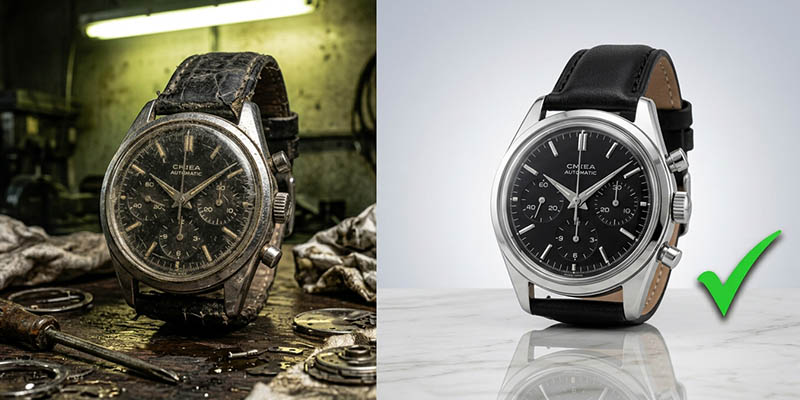
Professional product images can influence how customers perceive your brand. High-quality visuals create a strong first impression and help customers feel more confident about purchasing products online.
Professional ecommerce photo editing can help businesses:
For businesses managing hundreds or thousands of images, outsourcing ecommerce photo editing can also provide a scalable and cost-effective solution.
Managing product photography and editing can be time-consuming, especially for growing e-commerce businesses, photographers, and creative agencies. Outsourcing professional image editing allows businesses to focus more on photography, marketing, customer service, and business growth.
At ClippingImages, professional editors can help transform ordinary product photographs into clean, attractive, and marketplace-ready visuals.
Professional services can include:
Whether you need editing for a small online store or thousands of product images, maintaining consistent quality is essential.
A professional ecommerce photo editing checklist helps ensure that every product image meets a high visual standard. From background removal and color correction to retouching, shadows, resizing, and SEO optimization, each step plays an important role in creating images that attract customers.
Great product photography captures attention, but professional editing transforms raw images into polished visuals ready for online stores and marketplaces.
For e-commerce sellers, photographers, and agencies, following a structured editing workflow can improve consistency, save time, and strengthen brand presentation. High-quality product images are not simply decorative—they are an important part of the online shopping experience.
By using this ecommerce photo editing checklist, businesses can create clean, professional, and conversion-focused product images that help products stand out in a competitive digital marketplace.
For reliable and professional ecommerce photo editing services, ClippingImages can help businesses achieve consistent, high-quality results for every product image.