October 6, 2026
The Barbie AI filter has become one of the most exciting ways to transform ordinary photographs into eye-catching, Barbie-inspired images. With the help of artificial intelligence, users can turn selfies, portraits, fashion photos, and even group pictures into colorful, polished images inspired by the iconic Barbie aesthetic.
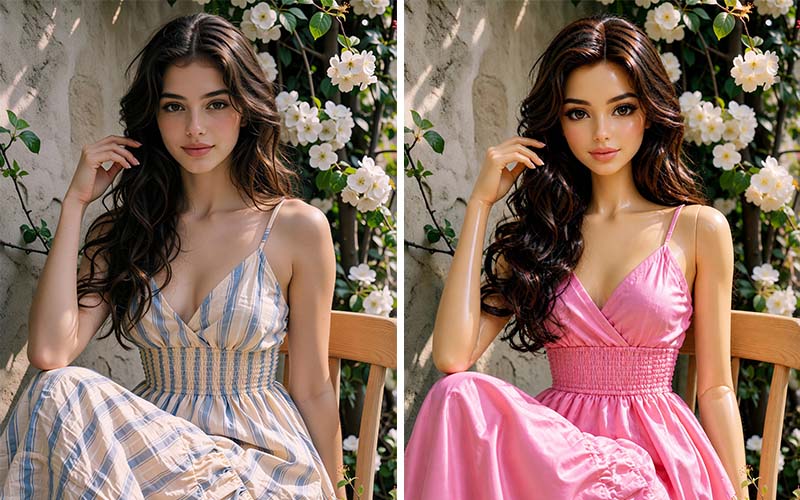
From soft pink backgrounds and glamorous outfits to doll-like facial features and dreamy lighting, the Barbie style offers endless creative possibilities. You do not need advanced Photoshop skills to experiment with this trend. Many AI-powered photo tools can analyze an uploaded image and automatically apply a Barbie-inspired appearance within seconds.
For photographers, influencers, e-commerce businesses, designers, and social media creators, this trend also offers an opportunity to explore new visual styles and create attention-grabbing content.
In this guide, we will explore what the Barbie AI filter is, how it works, how to use it, popular Barbie photo ideas, its benefits and limitations, and how professional photo editing can take AI-generated images to the next level.
What Is the Barbie AI Filter?
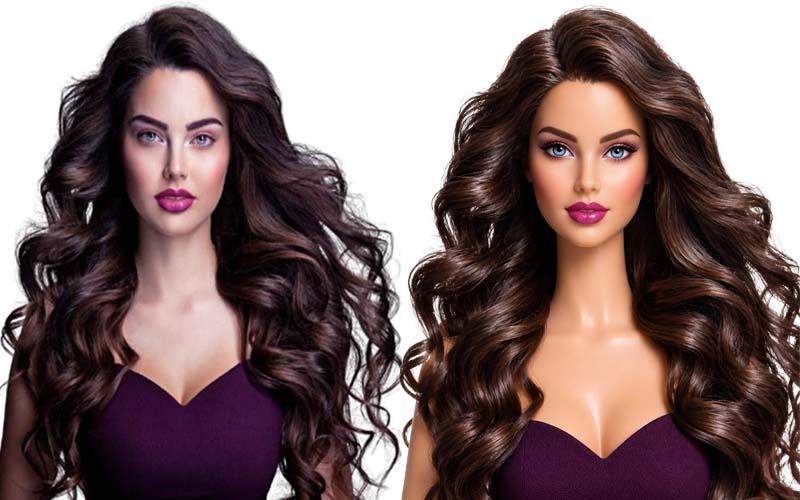
The Barbie AI filter is an artificial intelligence-powered photo effect that transforms an ordinary image into a Barbie-inspired visual. Depending on the tool you use, the effect can change several elements of a photograph, including facial appearance, clothing, colors, background, lighting, makeup, and overall visual style.
The result is usually inspired by the recognizable Barbie aesthetic: polished, fashionable, colorful, playful, glamorous, and often dominated by pink or pastel colors.
Unlike traditional photo filters, AI-based tools can analyze the contents of an image before generating the result. Instead of simply adding a color overlay, an AI system may reinterpret the subject and create a new visual based on the original photograph.
For example, you might upload a portrait taken outdoors. An AI tool could transform the image into a highly stylized Barbie-inspired portrait with:
The exact result depends on the AI tool, prompt, source photograph, and settings.
Why Is the Barbie AI Trend So Popular?
Barbie has been a recognizable cultural icon for generations. Her visual identity has traditionally been associated with fashion, beauty, creativity, imagination, and bold colors.
The popularity of Barbie-inspired visual content increased dramatically as digital creators began experimenting with AI image-generation and photo-editing technologies.
Social media has played an important role in the trend. People enjoy seeing familiar photographs transformed into completely different styles. A simple selfie can become a glamorous fashion portrait, while an ordinary outfit can be reimagined as a colorful doll-inspired look.
The trend is particularly attractive because it is:
Easy to Create
AI tools can automate many editing processes that previously required extensive photo-editing knowledge.
Highly Shareable
Stylized portraits often perform well on social media because they are visually distinctive and encourage comments, reactions, and shares.
Customizable
Users can experiment with different hairstyles, outfits, backgrounds, colors, poses, and moods.
Visually Recognizable
The Barbie-inspired aesthetic has a strong visual identity, making transformed images immediately recognizable.
Fun and Creative
Perhaps the biggest reason for its popularity is simple: creating a Barbie-style version of yourself is entertaining.
How Does a Barbie AI Filter Work?
AI photo filters generally rely on computer vision and generative AI techniques to understand an uploaded image and produce a modified version.
When you upload a photo, the system may identify elements such as:
The AI then applies the requested visual style while attempting to preserve important characteristics from the original photograph.
For example, if you provide a portrait and request a Barbie-inspired transformation, the AI may preserve the general pose and facial structure while changing the styling, environment, colors, and lighting.
The process can be summarized as:
Upload Photo → AI Analysis → Style Interpretation → Image Generation → Final Barbie-Inspired Image
The sophistication of the result depends heavily on the AI model and the quality of the original image.
How to Create a Barbie AI Photo
Creating a Barbie-inspired photo can be relatively simple. Although the exact interface varies from one platform to another, the general workflow is similar.
Step 1: Choose a Good Photo
Start with a high-quality image. A clear portrait usually produces better results than a dark, blurry, or heavily compressed photograph.
Choose an image where:
A clean source image gives the AI more useful information to work with.
Step 2: Select an AI Photo Tool
Choose an AI image-generation or editing platform that supports image transformations.
Depending on the platform, you may be able to upload a photograph and select a preset Barbie-inspired style or provide a text prompt describing the desired appearance.
Step 3: Add a Barbie-Inspired Prompt
If the tool supports prompts, describe the visual style you want.
For example:
“Transform this portrait into a glamorous Barbie-inspired fashion editorial with pastel pink colors, polished makeup, glossy hair, soft studio lighting, and a stylish doll-inspired aesthetic.”
You can customize the prompt based on your preferred look.
Step 4: Generate the Image
After uploading your image and selecting the desired style, allow the AI tool to generate the result.
Some tools may produce several variations. Compare the results and select the version that best preserves the subject while achieving your desired aesthetic.
Step 5: Refine the Result
AI-generated images are not always perfect. You may notice problems with:
A second generation or additional editing may improve the image.
Best Barbie AI Filter Ideas
One of the most enjoyable parts of the trend is experimenting with different Barbie-inspired concepts.
Here are several ideas you can try.
1. Classic Pink Barbie
The classic option uses pink as the dominant color.
Try combining:
This approach creates a recognizable Barbie-inspired appearance.
2. Barbie Fashion Editorial
Turn an ordinary portrait into a high-fashion magazine-style photograph.
Ask the AI to create:
This is particularly useful for fashion creators and social media campaigns.
3. Barbie Doll Box Style
Another creative concept is to make the subject look as though they are inside a collectible doll package.
The composition can include:
This concept can create an especially eye-catching social media image.
4. Barbie Career Theme
Barbie has been associated with countless careers over the years. You can use AI to create a professional Barbie-inspired version of yourself.
Possible themes include:
The possibilities are almost unlimited.
5. Barbie Princess
For a fantasy-inspired result, transform the subject into a glamorous princess.
Consider adding:
This can work especially well for portrait photography.
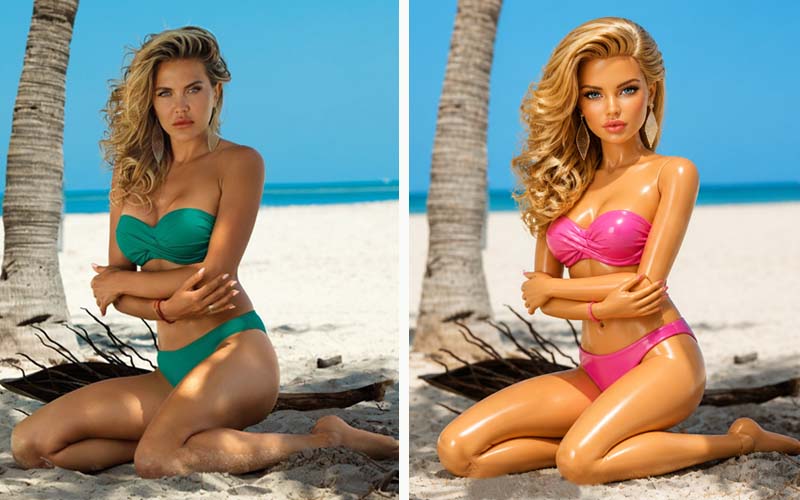
6. Barbie Beach Look
A summer-inspired Barbie image can use:
This style is perfect for travel and lifestyle content.
Barbie AI Filter Prompts You Can Try
The quality of an AI-generated image can depend significantly on how you describe the desired result.
Here are some prompt ideas.
Glamorous Barbie Prompt
“Create a glamorous Barbie-inspired fashion portrait with polished makeup, glossy hair, elegant clothing, soft pink tones, bright studio lighting, and a high-end fashion photography aesthetic.”
Pink Dream House Prompt
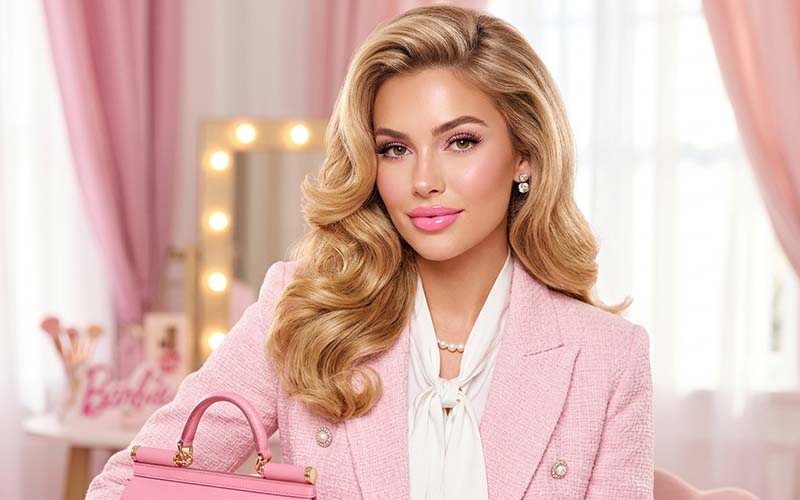
“Transform this portrait into a colorful Barbie-inspired scene inside a luxurious pink dream house, with pastel interiors, stylish furniture, bright lighting, and a playful fashion aesthetic.”
Professional Barbie Prompt
“Transform the subject into a confident professional Barbie-inspired character wearing elegant business clothing in a modern pink office with polished studio lighting.”
Princess Barbie Prompt
“Create a magical Barbie-inspired princess portrait with an elegant gown, sparkling accessories, soft pink and pastel colors, beautiful lighting, and a dreamy fantasy background.”
Fashion Magazine Prompt
“Turn this portrait into a premium Barbie-inspired fashion magazine cover image with sophisticated styling, glossy hair, professional makeup, dramatic studio lighting, and luxury fashion photography.”
When using AI tools, avoid overly complicated prompts at first. Start with the most important visual characteristics and add details gradually.
Barbie AI Filter for Social Media
Social media is one of the most popular applications for Barbie-style images.
Instagram, Facebook, TikTok, Pinterest, and other visual platforms provide opportunities for creators to share AI-generated transformations.
A simple before-and-after post can be particularly effective.
For example:
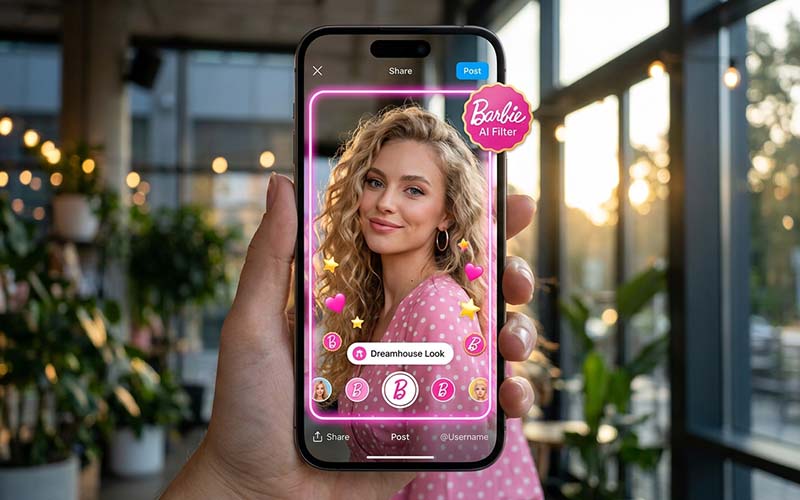
Original Photo → Barbie AI Transformation
This format allows viewers to immediately see how dramatically the image has changed.
You can also create:
However, creators should always consider platform-specific image dimensions and compression before publishing.
Barbie AI Filter for Photographers
Professional photographers can also use Barbie-inspired AI effects as part of their creative workflow.
For example, a photographer could create a concept board showing how a client’s portrait might look with different styling.
AI can help with:
However, AI-generated results should not automatically replace professional retouching.
A photographer may still need to correct the final image manually to ensure realistic skin texture, accurate colors, clean edges, and professional composition.
Barbie AI Filter for E-Commerce
The Barbie aesthetic can also be useful for certain e-commerce and marketing campaigns.
Fashion brands, beauty companies, toy businesses, lifestyle stores, and creative brands can experiment with Barbie-inspired visuals to attract attention.
For example, a fashion retailer could use a pink-themed AI concept to visualize how a product might appear in a playful campaign.
However, businesses need to distinguish between creative promotional imagery and accurate product photography.
If a customer needs to see the actual product, excessive AI modification can create misleading expectations.
For e-commerce product images, professional editing techniques such as:
are often more appropriate.
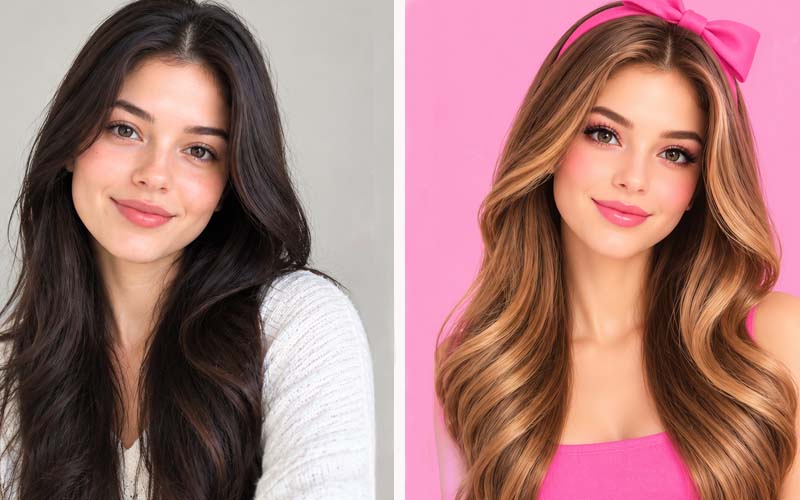
Barbie AI Filter vs. Traditional Photo Editing
AI filters and traditional photo editing serve different purposes.
Traditional editing software gives designers detailed control over individual image elements. Editors can manually adjust colors, curves, layers, masks, backgrounds, shadows, and other components.
AI editing is often faster and more automated.
| Feature | Barbie AI Filter | Traditional Photo Editing |
| Speed | Very fast | Can take longer |
| Automation | High | Usually manual |
| Creative experimentation | Excellent | Excellent |
| Precise control | Limited in some tools | Very high |
| Background editing | AI-assisted | Highly controllable |
| Skin retouching | Automated | Detailed |
| Professional product editing | Not always ideal | Excellent |
| Repeatable commercial workflow | Depends on tool | Highly reliable |
The best approach is often to combine both.
AI can provide a starting point or creative concept, while professional photo editing can refine the final result.
Why High-Quality Source Photos Matter
An AI filter cannot always rescue a poor-quality photograph.
If the original image is blurry, extremely dark, low-resolution, or poorly composed, the AI may have difficulty producing a convincing transformation.
For better results, use:
Good Lighting
Natural or studio lighting helps preserve facial details.
High Resolution
Higher-resolution photographs generally provide more visual information for AI systems.
Clear Facial Features
Avoid photographs where the face is heavily obstructed.
Simple Backgrounds
A less complicated background can make the transformation easier.
Natural Poses
Clear body positioning can help the AI maintain a coherent composition.
Common Problems With Barbie AI Filters
Although AI photo filters can be impressive, they are not perfect.
Unrealistic Facial Features
Sometimes AI-generated faces can appear overly smooth or unnatural.
Strange Hands and Fingers
Generative AI can occasionally produce incorrect hand structures or extra fingers.
Altered Identity
A transformation may change important facial characteristics, making the subject look less like the original person.
Incorrect Clothing Details
Patterns, buttons, jewelry, and other small elements can sometimes become distorted.
Artificial Skin
Too much smoothing can create a plastic appearance.
Background Errors
Objects in the background may be altered or replaced unexpectedly.
These problems are why professional post-processing can still be valuable.
How Professional Photo Editing Improves AI Images
After generating a Barbie-inspired image, you may want to refine it manually.
Professional editing can help correct imperfections and make the final image more polished.
For example, an editor can remove unwanted objects, improve lighting, correct colors, clean the background, refine edges, and adjust skin texture.
For commercial projects, precision is particularly important.
At ClippingImages, professional image editing techniques can help businesses and photographers prepare high-quality visual assets for websites, catalogs, marketplaces, advertisements, and social media.
Services such as clipping path, background removal, image masking, photo retouching, and product image editing can complement AI-generated creative concepts.
Barbie AI Filter for Before-and-After Content
Before-and-after content is one of the easiest ways to showcase an AI transformation.
Start with the original photograph and place the Barbie-inspired version beside it.
For example:
Before: Natural portrait
After: Barbie-inspired fashion portrait
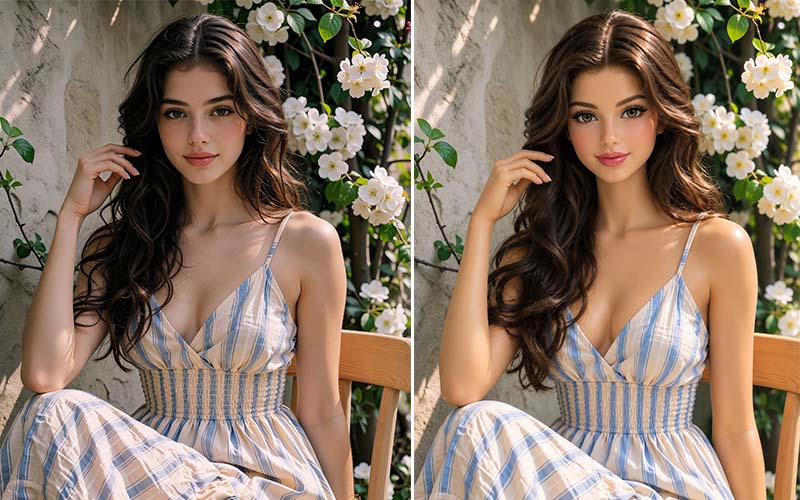
The comparison immediately communicates the power of the transformation.
This format can be useful for:
A clean layout usually works better than an overly complicated design.
How to Make Your Barbie AI Photos Look More Professional
If you want a polished result, focus on more than just the filter.
Use a Strong Composition
Make sure the subject is positioned intentionally.
Maintain Natural Facial Details
Avoid excessive smoothing or unrealistic facial changes.
Use Consistent Colors
A coordinated palette of pink, white, pastel, or complementary colors can make the image feel more professional.
Pay Attention to Lighting
Soft, balanced lighting can create a premium appearance.
Keep Backgrounds Clean
A cluttered background can distract from the subject.
Retouch Carefully
Small corrections can make a major difference.
Export at the Correct Resolution
Always consider where the final image will be published before exporting it.
Is the Barbie AI Filter Free?
The availability and pricing of Barbie-style AI filters vary between platforms.
Some tools offer free features, while others may require:
Before uploading personal or commercial images, check the platform’s current terms, privacy policy, and usage rights.
Free tools can be useful for experimentation, but professional projects may require more advanced features.
Privacy and Copyright Considerations
Before using any AI photo application, it is important to understand what happens to your uploaded images.
Check whether the platform:
This is especially important when working with client photographs or commercial product images.
You should also avoid using copyrighted characters, logos, or branded assets in ways that could create legal or commercial issues.
A Barbie-inspired aesthetic is not necessarily the same thing as reproducing protected artwork or branding. Businesses should consider intellectual-property rights when creating commercial content.
Is the Barbie AI Filter Good for Business?
It can be—when used appropriately.
For marketing teams, the trend can provide an engaging way to experiment with visual campaigns.
Potential uses include:
However, businesses should ensure that AI-generated imagery accurately represents their products when product authenticity matters.
For example, a fashion brand can use AI-generated Barbie-style visuals as campaign artwork while using professionally edited photographs for actual product listings.
Future of Barbie-Style AI Photo Editing
AI photo editing is developing rapidly.
Future tools are likely to provide more precise control over individual image elements while maintaining the identity and structure of the original photograph.
We may see more advanced capabilities for:
This means the Barbie AI trend may be more than a temporary social media phenomenon. It represents a broader shift toward accessible, AI-assisted visual creativity.
Frequently Asked Questions About Barbie AI Filter
What is a Barbie AI filter?
A Barbie AI filter is an AI-powered photo effect that transforms ordinary images into Barbie-inspired visuals using elements such as pink colors, glamorous fashion, polished makeup, doll-like styling, and creative backgrounds.
How do I make a Barbie AI photo?
Upload a clear photograph to an AI image-editing platform, select an appropriate style or enter a Barbie-inspired prompt, generate the image, and refine the result if necessary.
Can I use a Barbie AI filter on selfies?
Yes. Selfies and portraits are among the most common types of images used for AI transformations.
Can I use Barbie AI images commercially?
That depends on the AI platform, its licensing terms, and the content used in the image. Always check the tool’s current commercial-use policy before using generated images for business purposes.
Why does my Barbie AI image look unrealistic?
AI tools can sometimes distort facial features, hands, clothing, or backgrounds. A better source image, a more precise prompt, another generation, or professional retouching can improve the result.
Can I create a Barbie-style product image?
Yes, but businesses should distinguish between creative campaign images and accurate product photography. For marketplace listings, the product should remain visually accurate.
Do I need Photoshop to create Barbie AI images?
Not necessarily. Many AI-powered tools automate the transformation process. However, Photoshop or professional editing can be useful for correcting imperfections and refining the final image.
Final Thoughts
The Barbie AI filter provides a fun and accessible way to explore creative photo transformation. With just one photograph and a carefully written prompt, users can experiment with glamorous fashion portraits, pink dream worlds, professional characters, princess concepts, and countless other Barbie-inspired ideas.
The technology is particularly appealing because it reduces the technical barrier to creative image editing. You do not need to spend hours creating every visual element manually to explore a new concept.
However, AI-generated images still have limitations. Faces, hands, clothing, backgrounds, and small details can sometimes look unnatural. For professional applications, combining AI creativity with expert photo editing can produce much better results.
Whether you are a social media creator experimenting with a new trend, a photographer developing a creative concept, or a business looking for engaging marketing visuals, Barbie-inspired AI editing offers plenty of opportunities.
And when the final image needs professional quality, AI generation and professional image editing can work together. AI can provide the creative starting point, while skilled editing can deliver the clean, polished, and commercially usable result.
The Barbie aesthetic may have started as a playful visual trend, but it also demonstrates how quickly AI is changing the way people create, edit, and share photographs. As these technologies continue to improve, transforming an ordinary photo into an imaginative new visual will become easier, faster, and more accessible than ever.