July 30, 2026
In the competitive world of e-commerce, your product images can make or break a sale. Customers cannot physically touch or inspect products online, so images become the most powerful factor influencing purchase decisions. However, choosing the best image format for e-commerce websites is just as important as taking high-quality product photos.
The wrong image format can slow down your website, reduce image quality, hurt SEO, and ultimately lower conversions. On the other hand, the right format delivers crisp visuals while keeping file sizes small, helping your store load faster and rank better in search engines.
Whether you sell on Shopify, WooCommerce, Magento, BigCommerce, Amazon, Etsy, or your own website, this guide explains everything you need to know about image formats and how to choose the best one for every situation.
Many store owners focus on image resolution but overlook image format. Different formats are designed for different purposes.
Choosing the right format affects:
According to Google, faster websites provide better user experiences and often perform better in search rankings. Large image files are one of the biggest reasons e-commerce websites become slow.
Let’s explore the most popular image formats used by online stores.
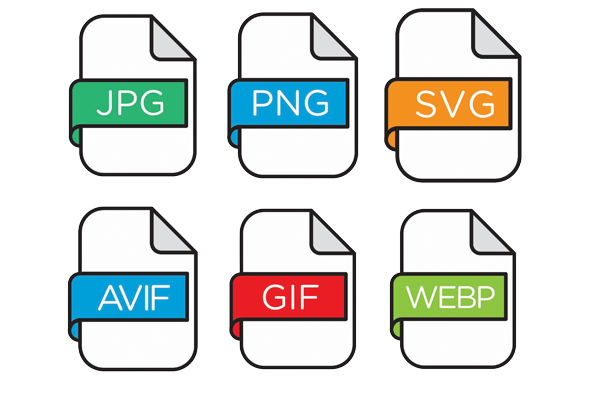
JPEG is the most widely used image format for e-commerce.
JPEG remains the default choice for many online retailers because it provides the ideal balance between image quality and file size.
PNG offers much higher image quality than JPEG but usually comes with larger file sizes.
Many e-commerce businesses use PNG files after performing professional background removal because transparency allows products to blend seamlessly into different website designs.
WebP has become Google’s recommended image format for modern websites.
It combines the strengths of JPEG and PNG while producing significantly smaller file sizes.
Many Shopify and WooCommerce stores now automatically convert uploaded images into WebP for better performance.
AVIF is one of the newest image formats available.
It delivers even better compression than WebP while maintaining excellent image quality.
AVIF is rapidly becoming the future of web images.
GIF supports animation but is rarely used for product photography.
SVG is a vector format rather than a traditional image format.
Unlike JPG or PNG, SVG files remain perfectly sharp regardless of screen size.
Never use SVG for product photography.
| Format | Quality | File Size | Transparency | Best For |
| JPEG | Excellent | Small | No | Product photos |
| PNG | Excellent | Large | Yes | Transparent products |
| WebP | Excellent | Very Small | Yes | Modern websites |
| AVIF | Outstanding | Smallest | Yes | Next-generation stores |
| GIF | Low | Medium | Limited | Animations |
| SVG | Infinite | Tiny | Yes | Logos & icons |
For most online stores, the ideal choice depends on your specific needs.
Perfect if:
Perfect if:
Perfect if:
Perfect if:

Recommended:
Shopify automatically optimizes uploaded images, making WebP an excellent choice whenever available.
Recommended:
WooCommerce performance depends heavily on hosting, so lightweight image formats significantly improve page speed.
Amazon recommends:
Because JPEG balances quality with upload speed and compatibility.
Recommended:
High-quality JPEG images work perfectly for handmade and vintage products.
Recommended:
Large Magento stores benefit greatly from modern image compression.
Search engines consider page speed when ranking websites.

Smaller images help:
Image optimization also improves:
Always combine the correct image format with:
Best choice:
JPEG or WebP
Best choice:
WebP
Best choice:
JPEG
Best choice:
PNG or WebP
Best choice:
SVG
Best choice:
SVG
Best choice:
WebP
While format matters, size is equally important.
Product images should generally be:
Large enough for zoom features but optimized for speed.
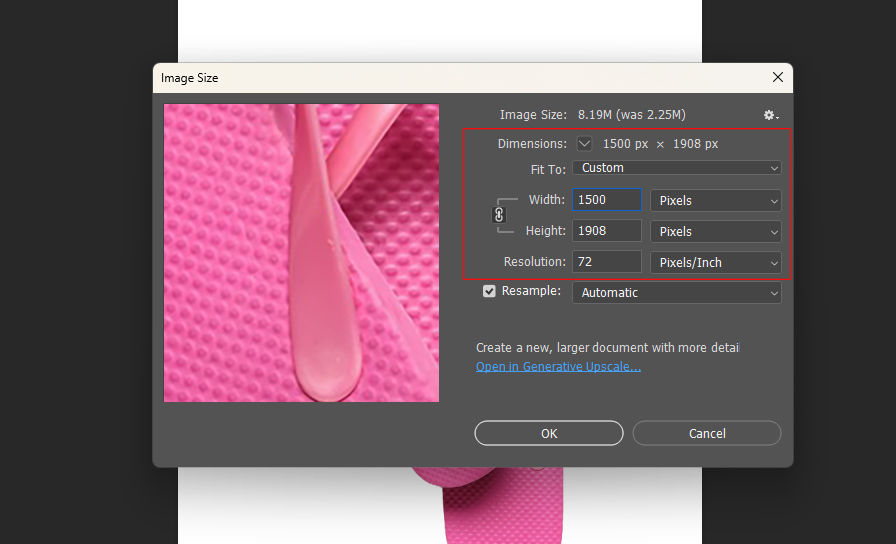
Even the best format performs poorly without compression.
Use:
Aim to reduce file size without noticeable quality loss.
Many online stores unintentionally reduce website performance by making these mistakes:
Resize before uploading.
PNG is often unnecessarily large.
Many websites still rely solely on JPEG despite WebP’s advantages.
Each save reduces quality.
Over half of online shopping now happens on smartphones.

Professional e-commerce businesses usually follow this workflow:
This process ensures fast-loading, visually appealing product images that enhance both user experience and search engine visibility.
Here is a quick recommendation:
| Scenario | Recommended Format |
| Product Photography | JPEG |
| Transparent Background | PNG |
| Fast Website | WebP |
| Future-Proof Optimization | AVIF |
| Logos | SVG |
| Icons | SVG |
| Animations | GIF |
For most product photography, yes. JPEG provides much smaller file sizes while maintaining excellent visual quality.
In most cases, yes. WebP offers similar or better quality with significantly smaller file sizes, making it ideal for modern e-commerce websites.
If your website and audience primarily use modern browsers, AVIF can deliver outstanding compression and performance. Otherwise, WebP is currently the safer choice.
You can, but it is generally not recommended because PNG files are much larger and can slow down your website.
Yes. Optimized image formats improve page speed, user experience, and Core Web Vitals—all of which can positively influence search rankings.
Choosing the best image format for e-commerce websites is about balancing quality, speed, compatibility, and user experience. While JPEG remains a dependable option for product photography, WebP has become the preferred format for most modern online stores thanks to its superior compression and fast loading times. PNG is still the best choice when transparency is required, while SVG is ideal for logos and icons. As browser support continues to expand, AVIF is emerging as a strong contender for future-ready websites.
No matter which format you choose, remember that image optimization goes beyond file type. Proper resizing, compression, descriptive filenames, alt text, and professional editing all contribute to a faster website, stronger SEO performance, and higher conversion rates. Investing in well-optimized product images helps create a smoother shopping experience, builds customer trust, and ultimately drives more sales for your e-commerce business.