April 30, 2026
In today’s competitive e-commerce landscape, high-quality visuals are no longer optional—they are essential. Whether you are an online seller, a professional photographer, or a creative agency, clean and distraction-free product images can significantly impact your conversion rates. One of the most effective ways to achieve this is through background removal.
In this comprehensive guide, we will explore everything you need to know about removing backgrounds from product photos, including techniques, tools, benefits, and best practices to help you create stunning, professional-grade images that sell.
Before diving into the “how,” it’s important to understand the “why.” Background removal is more than just a visual upgrade—it’s a strategic move that can directly influence your sales and brand perception.
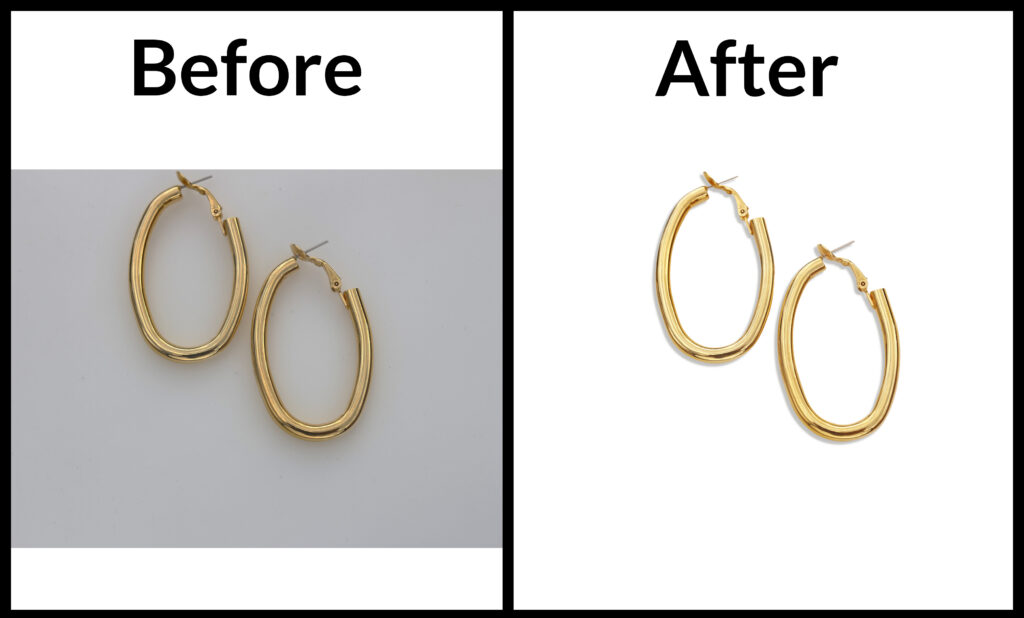
A clean background eliminates distractions, allowing customers to focus solely on the product. This is especially important for marketplaces like Amazon, Shopify, and eBay, where white backgrounds are often required.
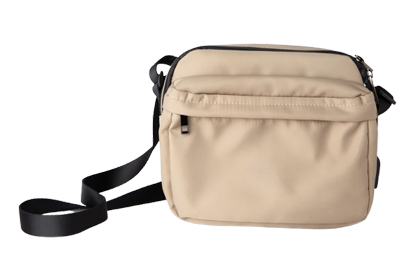
Studies show that high-quality product images can significantly increase buyer confidence. A well-edited image with a clean background looks more professional and trustworthy.
Uniform product images create a cohesive brand identity. Background removal helps maintain consistency across your catalog, making your store visually appealing.
Once the background is removed, you can easily place your product on different backgrounds for websites, ads, or social media campaigns.
There are several ways to remove backgrounds depending on your skill level, budget, and volume of images.
For the highest level of precision, manual editing is the gold standard. Tools like Adobe Photoshop allow detailed control, making it ideal for complex product shapes.

AI-powered tools have revolutionized background removal by making it fast and accessible.


For businesses dealing with high volumes of images, outsourcing is often the smartest solution.
Professional services like ClippingImages.com provide:
To achieve consistent and professional results, follow this proven workflow:
Start with a well-lit product photo. Use a white or neutral background to make editing easier.
Ensure edges are smooth and natural. Avoid jagged or blurry outlines.
Natural shadows enhance realism and prevent the product from looking “floating.”
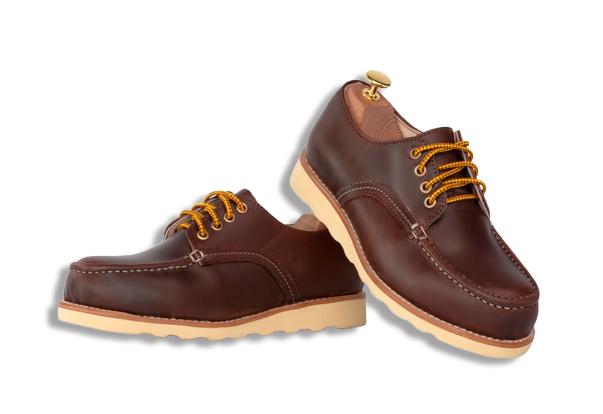
To maximize the effectiveness of your product images, follow these industry best practices:
Most marketplaces require a white background. It also improves visibility and cleanliness.
Ensure all product images have uniform brightness and color tone.
Keep the product looking natural. Over-editing can mislead customers and increase returns.
Clean edges are crucial. Poor edge quality can make your images look unprofessional.
Subtle shadows add depth and realism, improving visual appeal.
Use advanced masking techniques like:
Reflections can confuse automatic tools. Manual editing or professional services work best.
Sometimes the background color reflects onto the product. Use color correction tools to fix this.
For large catalogs, manual editing is impractical. Consider outsourcing to save time.
While background removal isolates the product, background replacement allows you to enhance visual storytelling.
Combining both techniques can significantly boost your brand’s visual impact.
| Tool Type | Best For | Skill Level | Speed | Quality |
| Photoshop | Precision editing | Advanced | Slow | ممتاز |
| AI Tools | Quick edits | Beginner | Fast | Good |
| Outsourcing | Bulk projects | None | Medium | Excellent |
Optimized product images don’t just look good—they also help your website rank better.
Compressed, optimized images improve site speed, which is a key ranking factor.
Clean visuals keep visitors engaged and reduce bounce rates.
Professional images attract more clicks from search results and ads.
Clear, high-quality images build trust and encourage purchases.
If you’re running an e-commerce store or managing multiple clients, professional services offer unmatched value.
Outsourcing allows you to focus on growing your business while ensuring your visuals remain top-notch.
Background removal is a fundamental part of modern product photography. Whether you’re selling on Shopify, Amazon, or your own website, clean and professional images can make all the difference.
From manual editing in Photoshop to AI-powered tools and professional services, there are multiple ways to achieve high-quality results. The key is choosing the right method based on your needs, budget, and volume.
If you want to scale your e-commerce business, attract more customers, and increase conversions, investing in high-quality background removal is not just an option—it’s a necessity.