September 22, 2026
Product images play a major role in e-commerce. Customers rely on visual content to understand products, compare options, and decide whether to make a purchase. But product photography is not only about making an online store look attractive. When optimized correctly, product images can also support search visibility, improve user experience, and help e-commerce businesses attract customers through image search.
This product images SEO guide explains how to optimize product photos for search engines while maintaining professional visual quality. From image file names and alt text to compression, image dimensions, structured data, and professional editing, these techniques can help Shopify stores, online retailers, photographers, and agencies build a stronger image SEO strategy.
Product image SEO is the process of optimizing product photographs and other visual assets so that search engines can better understand, index, and display them.
Search engines cannot interpret images exactly like humans do. They use information surrounding an image, including file names, alt text, page content, structured data, image dimensions, and other signals, to understand what the image represents.
Effective product image SEO combines technical optimization with useful visual content.
A good strategy focuses on:
The goal is to make images useful for both shoppers and search engines.
Product images can influence several aspects of an e-commerce website.
First, high-quality images help customers understand products. Second, optimized images can contribute to faster page performance. Third, descriptive image information can help search engines understand visual content.
For online stores, product image SEO can support visibility across traditional search results and image-based search experiences.
For example, someone searching for a “black leather handbag” may encounter product images from online stores in image search results. A properly optimized product page gives search engines more contextual information about what that image represents.
Image SEO should therefore be treated as part of a broader e-commerce SEO strategy rather than an isolated technical task.
One of the easiest product image SEO improvements is changing generic file names.
A camera may automatically create names such as:
IMG_2847.jpg
This tells search engines and website managers very little about the image.
A descriptive file name provides useful context.
For example:
black-leather-womens-handbag.jpg
is much more meaningful.
Good product image filenames should:
For example, if the product is a men’s blue cotton shirt, a suitable filename might be:
mens-blue-cotton-shirt.jpg
Avoid creating an unnatural filename such as:
best-cheap-mens-blue-cotton-shirt-buy-online-shop.jpg
The purpose is to describe the image clearly, not to insert as many keywords as possible.
Alt text is one of the most important elements of image SEO.
It provides a text description of an image and can help users who cannot see the image understand its content.
For example:
Gold necklace with round pendant on white background
is more useful than:
product image
Good alt text should accurately describe what is visible.
For product images, consider mentioning relevant characteristics such as:
However, not every detail needs to be included.
Avoid keyword stuffing. If your target keyword is “gold necklace,” you do not need to repeat it multiple times in the alt text.
Natural descriptions are generally more useful.
The image format you choose can affect file size, quality, and website performance.
Common formats include JPEG, PNG, WebP, and AVIF.
JPEG is often suitable for product photography because it can provide good quality at relatively small file sizes.
PNG is useful when transparency or lossless image quality is important, particularly for logos, graphics, and certain product assets.
WebP provides efficient compression and is widely used for modern websites.
AVIF can offer highly efficient compression and excellent image quality, although your workflow should account for browser and platform considerations.
For most e-commerce businesses, the key is not choosing one format for every situation. Choose the format that provides the right combination of quality, compatibility, and file size.
Large image files can increase page weight and contribute to slower loading.
Image compression reduces file size while attempting to preserve acceptable visual quality.
For e-commerce photography, compression should be handled carefully. Product images need enough quality for customers to inspect important details.
Overcompressed images may show:
The ideal compression level depends on the image and its purpose.
A product thumbnail may not require the same resolution as a large product gallery image.
Uploading unnecessarily large photographs is another common mistake.
A professional camera can produce photographs with millions of pixels. While high-resolution originals are useful for editing and archival purposes, websites generally do not need the full original file for every display.
Resize images according to their intended use.
For example, consider separate requirements for:
The correct dimensions depend on your website theme and design.
The goal is to deliver sufficient resolution without unnecessarily increasing the amount of data visitors must download.
Consistency is an important part of professional e-commerce presentation.
Imagine a clothing store where some products have white backgrounds, others have gray backgrounds, and others have distracting environments. Even if every photograph is individually attractive, the product catalog may look inconsistent.
A consistent visual style can improve the overall shopping experience.
Consider standardizing:
Professional image editing can help achieve this consistency across large product catalogs.
SEO optimization cannot compensate for poor product photography.
Customers need clear images that accurately represent what they are purchasing.
High-quality product photographs should generally have:
For certain products, multiple images can provide additional value.
A clothing product might include front, back, side, and detail views. A jewelry product might include close-up photographs showing texture and craftsmanship.
The objective is to provide useful visual information rather than simply adding more images.
Multiple product images can help customers understand an item more completely.
Depending on the product, useful views may include:
For e-commerce businesses, this can reduce uncertainty and provide customers with more information before purchase.
Each image should serve a purpose.
Instead of uploading five nearly identical photographs, use different images to highlight different product features.
Mobile users are particularly important for modern e-commerce websites.
Large images that load quickly on a desktop connection may still create problems on mobile networks.
When optimizing product images, test your website on smartphones and tablets.
Check:
A product photograph should remain clear and useful without unnecessarily slowing down the mobile experience.
Search engines do not evaluate images completely in isolation.
The text surrounding an image can provide additional context.
For example, if an image displays a handmade leather wallet, the product page should clearly describe the product, its materials, features, dimensions, and intended use.
Relevant page content can reinforce what the image represents.
This means image SEO should work together with:
Avoid creating image filenames and alt text that describe something completely different from the actual product.
Consistency between the image and page content is important.
Structured data can help search engines understand product information on an e-commerce page.
Product structured data can communicate information such as:
When implemented correctly, structured data can help search engines better understand product pages and may make eligible pages suitable for enhanced search features.
However, structured data should accurately represent the content visible on the page. It should not be used to provide misleading information.
Image sitemaps can provide search engines with additional information about images that are important to your website.
For larger e-commerce websites with extensive product catalogs, technical SEO teams may consider image discovery as part of their sitemap and crawling strategy.
Make sure important product images are accessible to search engine crawlers and are not accidentally blocked by technical settings.
For most Shopify and modern e-commerce platforms, much of the technical infrastructure is handled automatically, but store owners should still monitor indexing and technical SEO issues.
Image URLs should ideally be understandable and organized.
A clean URL structure can make asset management easier, particularly for businesses with thousands of products.
Avoid unnecessary complexity where you control the image URL structure.
However, do not change image URLs unnecessarily just for SEO. If existing images are already indexed and performing well, unnecessary URL changes can create technical problems.
SEO optimization should always consider the potential impact of changing established website assets.
Background removal is especially useful for product image SEO because clean product images often provide a better user experience.
A professional background removal service can isolate products from distracting environments while preserving important edges and details.
This is particularly useful for:
For complex objects, manual clipping paths and advanced image masking may provide cleaner results than basic automated tools.
A professional-looking product image can improve both visual consistency and brand presentation.
Natural-looking shadows can help products appear realistic rather than artificially floating against a background.
Common techniques include:
The appropriate technique depends on the product.
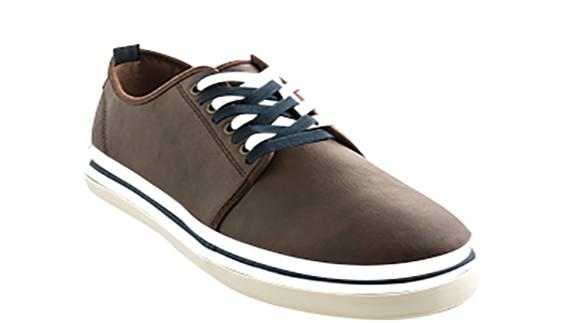
For example, a shoe photographed on a white background may benefit from a subtle natural shadow that gives the product visual depth.
However, excessive shadows can distract from the product.
Consistency is more important than adding effects simply for decoration.
Color accuracy is particularly important for fashion, furniture, cosmetics, and other products where customers choose based on appearance.
If an image has inaccurate colors, customers may receive a product that looks different from what they expected.
Professional color correction can help maintain consistency between photographs.
When editing product images, avoid excessive saturation or filters that significantly change the product’s actual appearance.
The goal should be attractive but accurate photography.
One of the most common SEO mistakes is trying to place keywords everywhere.
For example, repeating the same keyword in:
does not automatically make an image more relevant.
Instead, use natural descriptions.
Search engines are designed to understand context, so focus on making the page genuinely useful.
Good image SEO is primarily about helping search engines and users understand your visual content.
Before publishing a product image, use a simple checklist:
Image SEO Checklist
This process can become part of your regular product publishing workflow.
Digital agencies managing e-commerce clients can benefit from creating standardized image SEO workflows.
Instead of optimizing images differently for every client, agencies can create guidelines covering:
A standardized workflow makes it easier to manage large product catalogs and maintain consistent quality.
Agencies can also partner with professional image editing services when clients require large-scale background removal, clipping paths, retouching, or image resizing.
Photographers working with e-commerce brands should also understand the SEO requirements of product photography.
Providing clients with properly prepared images can add value to photography services.
Photographers can deliver images that are:
Photographers who understand both visual quality and digital requirements can better support modern e-commerce businesses.
A successful product images SEO strategy combines high-quality photography, technical optimization, useful metadata, and professional image editing.
Start with clear and accurate product photographs. Then resize and compress them appropriately, select efficient formats, create descriptive filenames, write useful alt text, and make sure images work well on mobile devices.
For larger stores, consider structured data, technical image accessibility, consistent product photography, and a standardized optimization workflow.
Professional editing can also make a significant difference. Background removal, clipping paths, image masking, color correction, retouching, and shadow creation can help e-commerce businesses maintain a consistent visual identity across hundreds or thousands of product images.
Ultimately, image SEO is not about manipulating search engines. It is about making product images easier to understand, faster to load, and more useful to shoppers.
When technical optimization and professional visual presentation work together, product images can become a valuable part of your overall e-commerce SEO strategy.