August 18, 2026
Product photo shadow creation is an essential part of professional product image editing. A well-designed shadow can make an e-commerce product look realistic, grounded, and visually appealing, while a poorly created shadow can make the product appear artificial or poorly photographed. For online stores, marketplaces, photographers, and creative agencies, adding the right shadow is often the finishing touch that transforms an ordinary product photo into a polished commercial image.
In e-commerce photography, customers cannot physically touch or examine a product before purchasing. High-quality product images therefore play an important role in building confidence. Clean backgrounds, accurate colors, sharp details, and realistic shadows help customers understand the product and create a more professional presentation.
This guide explains what product photo shadow creation is, why it matters, the most common shadow styles, how professional editors create realistic shadows in Photoshop, and how businesses can use shadow creation services to improve their product photography.
Product photo shadow creation is the process of adding or enhancing shadows beneath or around a product during photo editing. Shadows provide visual depth and help communicate how an object interacts with a surface or light source.
When a product is photographed against a white or transparent background, the original shadow may be weak, uneven, or completely absent. Professional photo editors can create a customized shadow that matches the product’s shape, lighting direction, and intended presentation.

Product photo shadow creation is commonly used for:
The goal is not simply to place a dark area beneath an object. A professional shadow should look natural and support the product without distracting from it.
A product without a shadow can sometimes appear as if it is floating. This is especially noticeable when the background is pure white. Adding a carefully controlled shadow gives the product a visual connection to the surface.
Natural shadows help viewers understand where a product is positioned. Even a subtle shadow can make an isolated product look more realistic.
A flat product cutout can look two-dimensional. A realistic shadow adds depth and helps communicate the product’s shape and position.
Professional product images can make an online store appear more trustworthy and established. Consistent shadows across product photos also create a unified visual style.
A subtle shadow can separate a product from a white background without introducing distracting colors or graphic effects.
Retailers often use hundreds or thousands of product images. Consistent shadow styles help maintain a professional appearance across catalogs, websites, and marketing campaigns.
Different products require different shadow styles. Professional photo editors choose the technique based on the product, photography style, and client’s requirements.
A drop shadow is one of the most common shadow effects. It creates a soft or defined shadow underneath and slightly behind the product.
Drop shadows work particularly well for:

The opacity, blur, distance, and angle should be adjusted carefully so the shadow does not look like a digital effect.
A natural shadow attempts to recreate the shadow that would naturally appear if the product were photographed under controlled lighting.
This technique is useful when realism is important. The shadow usually follows the product’s shape and becomes softer as it moves farther away from the object.
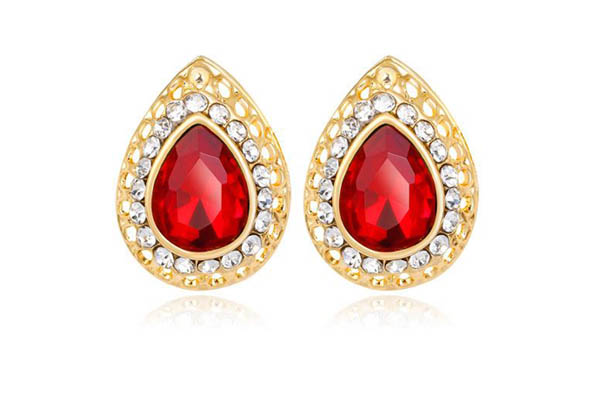
Reflection shadows create the appearance of a product standing on a reflective surface. They are commonly used for bottles, electronics, cosmetics, watches, and luxury products.
The reflection should normally be subtle rather than highly visible. Excessive reflections can make an image look unrealistic.
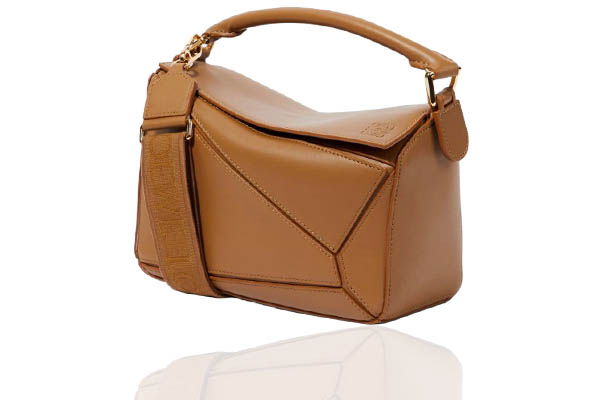
A cast shadow extends away from the product according to the direction of the light source. This technique is useful for creating a stronger sense of lighting and dimension.
The direction of the cast shadow should remain consistent with the highlights and existing lighting on the product.
A floating shadow can create the impression that an object is slightly elevated above the surface. It is often used in fashion and commercial product photography.
This technique should be handled carefully because excessive separation between the product and shadow can make the product appear unnaturally suspended.
Adobe Photoshop provides several tools and techniques for creating professional product shadows. The exact workflow depends on the image and desired result, but the following process is widely applicable.
Start by isolating the product from its original background. Use the Pen Tool, Select and Mask, Object Selection Tool, or another suitable background removal technique.
A clean product cutout is important because the shadow should be positioned relative to the product edges.
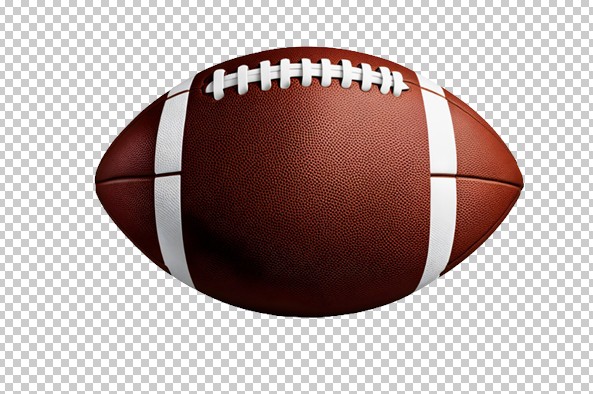
Create a separate layer beneath the product layer. Keeping the shadow separate makes it easier to adjust opacity, blur, position, and shape without affecting the original product.
Non-destructive editing is especially important when working with commercial images that may require revisions.
Use the product’s shape as a starting point. Depending on the image, you can create a selection from the product layer and fill it with black or another neutral dark tone.
For a cast shadow, transform and distort the shape so it extends in the direction of the imagined light source.
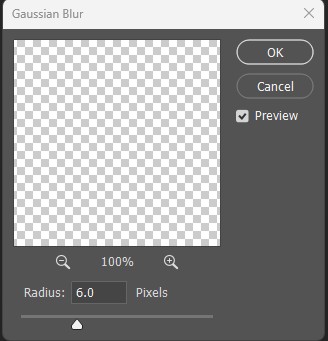
A hard-edged shadow usually looks artificial. Apply Gaussian Blur to soften the shadow.
The amount of blur depends on the product and lighting conditions. Small products photographed with soft studio lighting may require a relatively soft shadow, while stronger directional lighting may produce a more defined edge.
Reduce the shadow layer’s opacity until it looks natural. In many cases, a subtle gray shadow works better than solid black.
The shadow should support the product rather than become the main visual element.

Photoshop’s Transform tools can help adjust the shadow’s size, angle, and perspective. For a cast shadow, use tools such as Distort or Perspective to make the shadow follow the expected lighting direction.
Layer masks provide precise control over the shadow. You can gradually hide parts of the shadow to create a natural fade.
This is particularly useful because shadows usually become softer and lighter as they move away from the object.
Before finalizing the shadow, examine the product’s highlights and darker areas. Determine where the primary light appears to originate.
The shadow should generally fall in the opposite direction from the dominant light source. Matching these elements is one of the most important steps in realistic product photo shadow creation.
Creating a shadow is relatively simple, but creating a convincing shadow requires attention to detail.
A completely black shadow often looks artificial. Real shadows contain different levels of darkness and are affected by surrounding light.
The purpose of a product shadow is to create depth, not dominate the image. Excessive opacity can distract viewers from the product.
If the product’s highlights suggest light coming from the left but the shadow falls to the left, the image may immediately look unnatural.
An extremely blurry shadow can make a product look like it is floating. The softness should correspond to the lighting conditions.
The small, darker area directly beneath a product is important for grounding it. Without a contact shadow, the product may appear disconnected from the surface.
Different products have different shapes, heights, materials, and lighting requirements. A one-size-fits-all shadow does not always produce professional results.
E-commerce businesses often need consistent product images across large catalogs. Shadow creation can help maintain a professional visual standard.
For example, an online fashion retailer may photograph hundreds of shoes against white backgrounds. If some products have strong shadows while others appear to float, the catalog can look inconsistent.
A standardized product photo editing workflow can establish consistent:
This consistency can improve the overall appearance of an online store.
Marketplace sellers often use clean, simple product images to showcase their products. While marketplace image requirements vary, sellers generally need images that clearly display the product without unnecessary visual distractions.
Professional shadow creation can be particularly useful for secondary product images, promotional graphics, catalogs, and marketing materials where realistic depth is desirable.
Before publishing images, sellers should always check the latest image requirements of their specific marketplace because image rules can change.
Professional photographers may capture excellent product images but still need post-production to correct inconsistent shadows.
Studio lighting, reflective surfaces, transparent objects, and unusual product shapes can produce shadows that are difficult to control during the shoot. Photoshop shadow creation provides photographers with additional flexibility during post-production.
Instead of reshooting an entire collection because of inconsistent shadows, photographers can refine individual images during editing.
For agencies and e-commerce businesses managing large image volumes, manual editing can consume significant time. Outsourcing product photo shadow creation allows internal teams to focus on photography, marketing, product development, and sales.
Professional image editing services can help businesses handle:
The biggest advantage is often consistency. An experienced editing team can follow a predefined style guide across hundreds or thousands of images.
When choosing a professional photo editing company, consider more than price.
Look for a provider that offers:
Consistent quality: Images should maintain the same editing standards throughout a project.
Experienced editors: Product shadows require an understanding of light, perspective, shape, and composition.
Bulk editing capability: E-commerce businesses may need hundreds or thousands of images processed efficiently.
Clear communication: The provider should understand instructions regarding shadow type, opacity, direction, and background.
Revision support: Clients should be able to request reasonable corrections when an image does not match their requirements.
Secure file handling: Commercial product images may contain valuable intellectual property and should be handled responsibly.
For consistently high-quality results, follow a few fundamental principles.
First, keep the shadow subtle. The product should remain the primary focus.
Second, maintain a consistent light direction throughout a product collection.
Third, use separate layers and masks whenever possible so adjustments remain flexible.
Fourth, pay attention to contact shadows because they help anchor products to the surface.
Finally, review the image at its actual intended display size. A shadow that looks perfect at 200% zoom may appear too strong when viewed as a small e-commerce thumbnail.
Product photo shadow creation is a small but powerful part of professional image editing. A realistic shadow can transform a flat product cutout into a polished commercial image by adding depth, grounding the subject, and improving visual consistency.
For e-commerce sellers, photographers, retailers, and creative agencies, professional shadow creation can make product catalogs look more cohesive and visually appealing. Whether you need a subtle natural shadow, a realistic cast shadow, a reflection effect, or a floating product presentation, careful Photoshop editing can produce results that look natural rather than artificial.
For businesses handling large product catalogs, outsourcing professional product photo shadow creation can also save time while maintaining consistent quality. Combined with background removal, clipping paths, retouching, color correction, and other e-commerce photo editing services, professional shadow creation can become an important part of a complete product image workflow.
When the goal is to present products professionally online, every visual detail matters. A carefully crafted shadow may be subtle, but it can make a significant difference in how polished, realistic, and trustworthy a product image appears.